1. What Teamcenter really is
Many explanations stop at saying Teamcenter is a PLM system. That is true, but incomplete. In real projects, Teamcenter acts as a controlled system of product truth. It is where product meaning is created in engineering, validated through lifecycle governance, interpreted differently by downstream domains, and kept consistent when data moves across the enterprise.
A product definition does not remain the same in all departments. Engineering sees design intent. Manufacturing sees build intent. Service sees maintained reality. ERP sees business execution meaning. Teamcenter sits in the middle and prevents all these views from breaking apart.
That is why Teamcenter is not only about storing data. It is about controlling how product meaning changes across lifecycle.
2. Why companies need Teamcenter
Without a PLM backbone, most companies end up with multiple versions of truth. Engineering may work in CAD and local folders. Manufacturing may work in spreadsheets and manually re-created structures. ERP may contain material data that no longer matches engineering. Service may not know what was actually delivered.
This creates predictable problems: wrong parts are produced or ordered, changes do not propagate correctly, traceability becomes weak, compliance becomes difficult, and every team starts building its own interpretation of the product.
Teamcenter solves this by creating one controlled product backbone. It does not eliminate complexity, but it makes complexity governable.
3. The core data model in Teamcenter
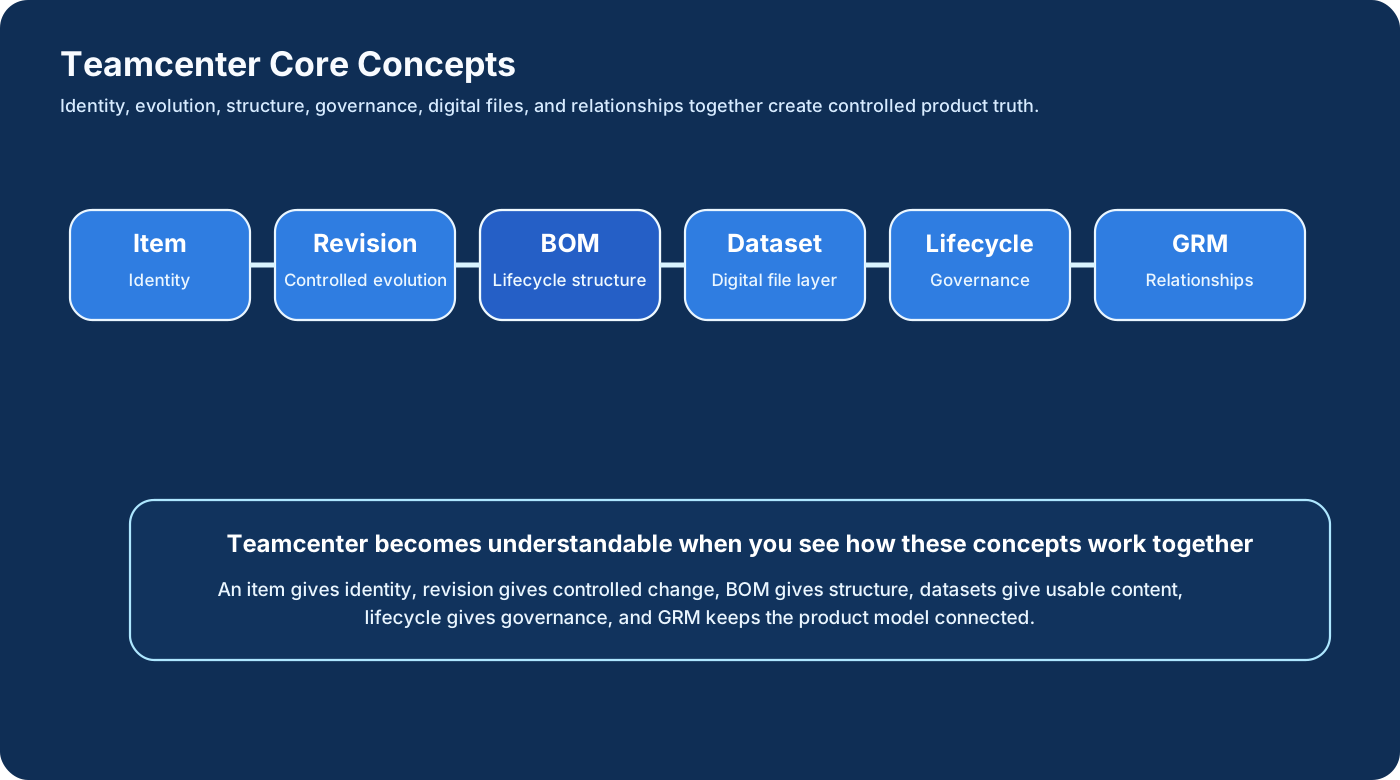
This is the area where many people memorize words without understanding behavior. Teamcenter becomes much easier once you understand the role of each object type and relationship.
Item and Item Revision
Item represents identity. Revision represents controlled evolution. In enterprise behavior, revision is much more important than a simple version number. A revision defines not only technical change, but also business validity. One revision may represent a prototype state, another may represent production release, and another may represent an improvement or correction. Revision is controlled business meaning over time.
Dataset
Datasets hold the real digital files: CAD, drawings, JT, PDF, Office documents, and other attached content. The item gives definition, but the dataset gives usable digital representation. Without datasets, the object model stays abstract. With datasets, engineering and downstream teams can act on the product.
BOM
BOM is one of the most misunderstood concepts. It is not just a list of parts. It is the structure through which product truth becomes visible. That structure changes meaning across lifecycle stages. Engineering BOM expresses design intent. Manufacturing BOM expresses build intent. As-Built expresses delivered reality. As-Maintained expresses current field truth after service. So BOM is not static structure. It is evolving product truth.
Lifecycle
Lifecycle states such as In Work, Released, or Obsolete do much more than show status. They determine what users are allowed to do, what downstream systems may consume, and whether the object is valid for enterprise use. Lifecycle is governance, not decoration.
Workflow
Workflow turns company approval logic into executable behavior. Reviews, approvals, signoffs, release gates, and controlled transitions are implemented here. Workflow is not just notification routing. It is where business discipline becomes system behavior.
GRM relationships
Teamcenter is not flat data thinking. It is connected data thinking. Objects are linked through relationships: part to dataset, part to document, change to BOM, revision to specification, and so on. This is why Teamcenter feels closer to graph-based product modeling than to a simple folder hierarchy.
4. Teamcenter architecture in detail
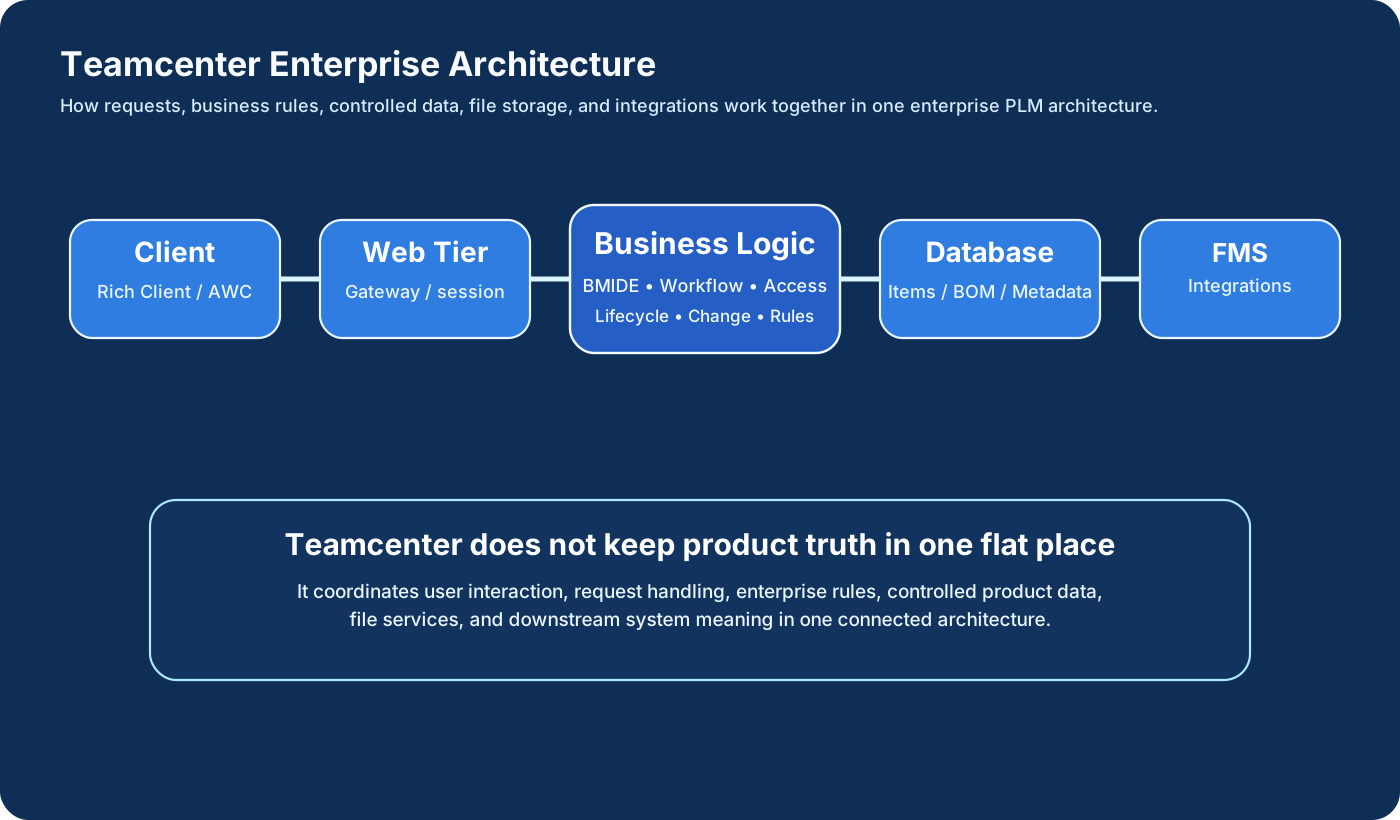
To understand why Teamcenter behaves the way it does, you need to understand its architectural layers. The same user action may pass through user interface, web request handling, business logic, data storage, file services, and integrations.
Client layer
This is the entry point for users. Rich Client and Active Workspace are common examples. Users create items, revise structures, review workflows, and navigate product information through this layer. But the client is not where enterprise control lives. The client is only the interaction window. It shows data and initiates actions, but it should not be confused with the real decision layer.
Web tier
The web tier handles requests, routing, session control, and gateway responsibilities. When a user clicks revise, submit, release, or open an object, the request flows through this layer before reaching business logic. This layer helps with scalability and controlled access.
Enterprise or business logic layer
This is the most critical layer in Teamcenter architecture. It contains the rule engine for how the enterprise behaves. BMIDE data model behavior, workflows, access rules, change processes, validations, and transitions all live here. This is why two companies can both use Teamcenter but behave very differently. The enterprise logic layer reflects the company’s own operating model.
Data layer
This is where item definitions, revisions, metadata, relationships, structures, and state information are stored. Oracle or SQL Server are common examples depending on deployment. But the data layer stores truth; it does not define business meaning by itself. Business meaning comes from how the logic layer governs that data.
File Management System
Large files such as CAD, JT, and documents are not best treated like simple database fields. File Management System exists so enterprise content can move, cache, and scale more effectively. This separation improves performance and distributed collaboration.
Integration layer
Real enterprise value appears when Teamcenter connects to ERP, MES, NX, supplier systems, and service systems. This is where product meaning starts leaving the PLM boundary. If this layer is weak, digital continuity becomes weak. Integration is not merely sending data outward. It is synchronizing meaning outward.
5. How product definition flows through Teamcenter
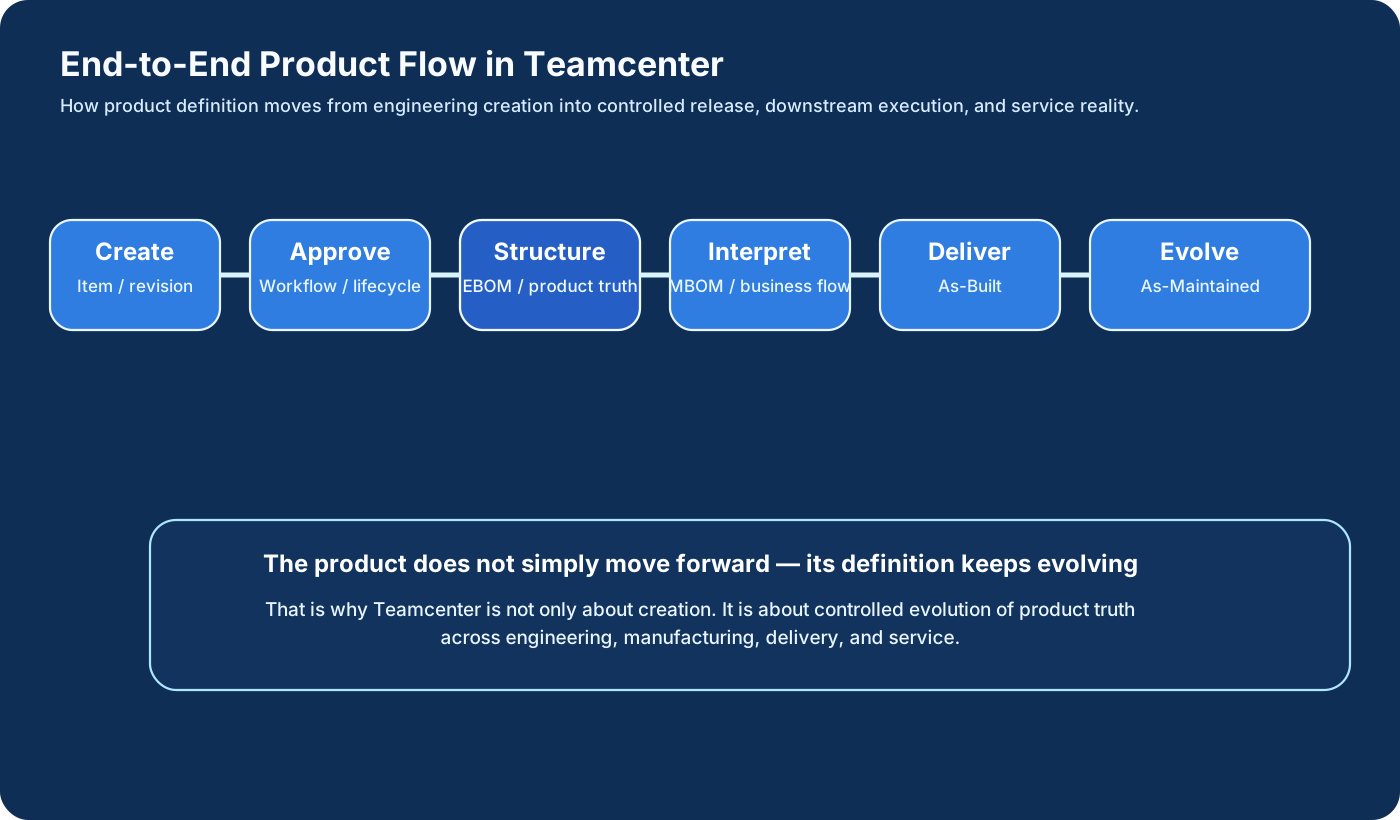
A real project does not stop at creating an item. Product definition evolves through a chain of controlled states and interpretations.
- An engineer creates or revises an item.
- Relevant datasets and specifications are attached.
- The object enters workflow for review and approval.
- Lifecycle state changes define enterprise validity.
- BOM structures are created or updated.
- Manufacturing interprets engineering truth into build truth.
- ERP and other downstream systems consume business-ready meaning.
- Delivered product becomes As-Built reality.
- Service actions evolve it further into As-Maintained reality.
Notice that the physical product may not move much during early stages, but the digital product definition moves constantly. Teamcenter’s job is to control that movement without losing traceability.
6. Why Teamcenter feels difficult to learn
Teamcenter is difficult for many people not because the tool is impossible, but because most training explains clicks without explaining meaning. Users are often taught how to create an item, attach a dataset, submit workflow, or open a structure, but they are not always taught why revision matters beyond versioning, why BOM changes meaning across lifecycle, why workflow is business behavior, why integration is meaning synchronization, or why As-Built and As-Maintained change the truth of the product.
Once these ideas become clear, Teamcenter stops looking like a confusing collection of windows and starts looking like a controlled product system.
7. Where real Teamcenter projects fail
Most failures do not come from the tool being absent. They come from the enterprise not understanding what the tool is supposed to control.
- EBOM is copied blindly into MBOM with no interpretation.
- Revision strategy is weak or inconsistent.
- Lifecycle states exist but do not govern real enterprise behavior.
- Workflows are built as approval theater rather than real decision control.
- Integration is treated as flat field transfer with no semantic alignment.
- As-Built and service continuity are ignored.
These are not just technical mistakes. They are lifecycle understanding mistakes.
8. Why Teamcenter becomes powerful in real enterprise use
Teamcenter becomes truly powerful when the organization stops using it as storage and starts using it as behavior control. In a mature setup, the data model reflects business reality, workflow reflects decision discipline, lifecycle reflects governance, BOM reflects lifecycle-specific truth, and integrations reflect synchronized meaning.
At that point, Teamcenter does not just hold product information. It shapes how the enterprise behaves around product information.
9. Final understanding
Teamcenter is not just CAD data management. It is not just a database. It is not just a workflow engine. It is the enterprise system that keeps product truth connected while the product moves through engineering, manufacturing, business execution, and service.
If a company cannot control how product definition evolves, it cannot control the product itself.
That is why Teamcenter matters.