🧩 Teamcenter Series
Why NX + Teamcenter integration matters
Many people use NX and Teamcenter together every day, but still think in a very file-based way. They believe NX creates the CAD and Teamcenter only stores it. That view is too shallow. In managed mode, NX and Teamcenter together form one controlled design environment.
NX is the design creation side. Teamcenter is the control side. When both are integrated correctly, the user is not only working with a CAD file. The user is working with business identity, controlled revision, dataset mapping, storage logic, lifecycle state, and product structure continuity.
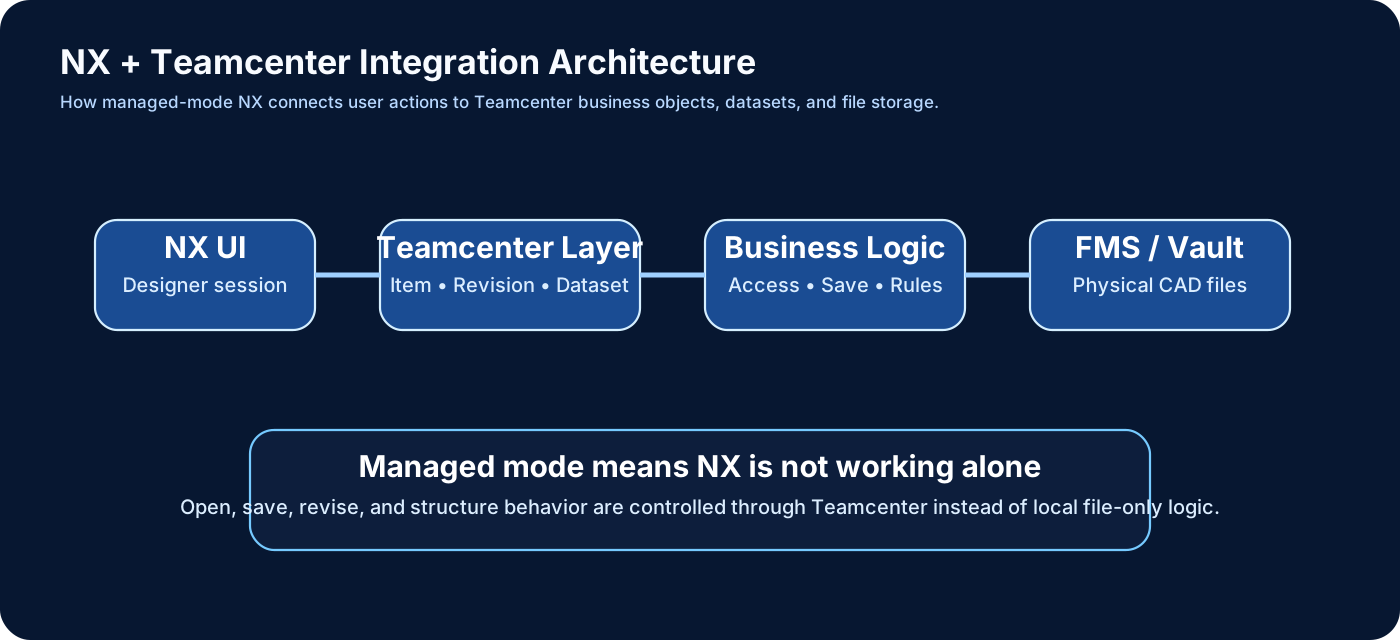
Native mode vs managed mode
NX can work in native mode or managed mode. Native mode means standalone CAD behavior. Files live in folders. Save means local file update. Managed mode means NX works under Teamcenter control. The user logs into Teamcenter, opens Teamcenter objects, and the design stays connected to revision and lifecycle logic.
What is a .prt file in NX?
A .prt file is the main NX part file. It can contain 3D geometry, assemblies, drawings, features, expressions, and model information. In standalone NX, the .prt file is directly handled in folders. In Teamcenter-managed NX, the same design content is controlled through Teamcenter object mapping instead of being treated as only a loose file.
Item, Item Revision, Dataset, and file are not the same thing
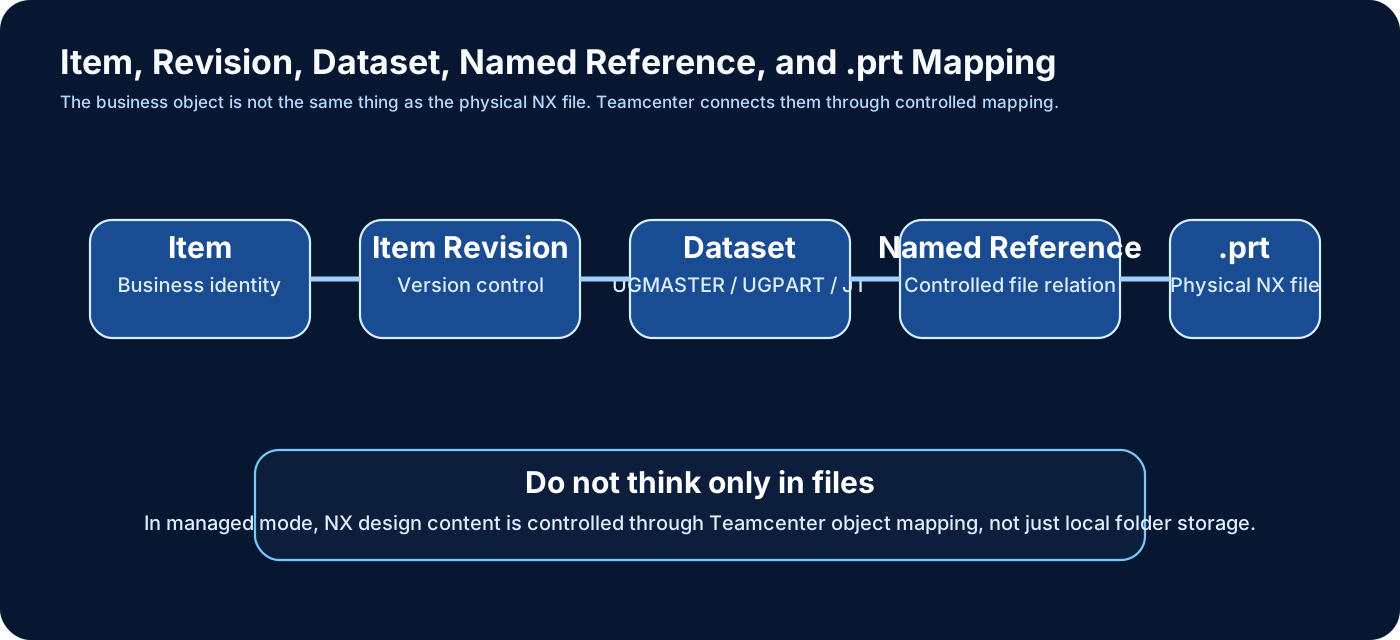
In Teamcenter, the design is not represented only by one physical file.
- Item = business identity
- Item Revision = version of the business identity
- Dataset = attached design content container
- Named Reference = controlled file relation inside the dataset
- Physical file = actual CAD content managed through file storage
So when someone says “open the NX file,” Teamcenter is actually resolving object identity, revision, dataset, and file references behind the scenes.
How integration happens step by step
- User starts NX in managed mode and logs into Teamcenter.
- User selects a Teamcenter Item Revision or assembly.
- Teamcenter resolves linked NX dataset(s).
- Named references identify the required CAD content.
- FMS or the file layer serves the file locally for the session.
- NX loads the .prt content and any required assembly references.
- User edits design, structure, geometry, or attributes.
- Save returns the updated content back through Teamcenter control.
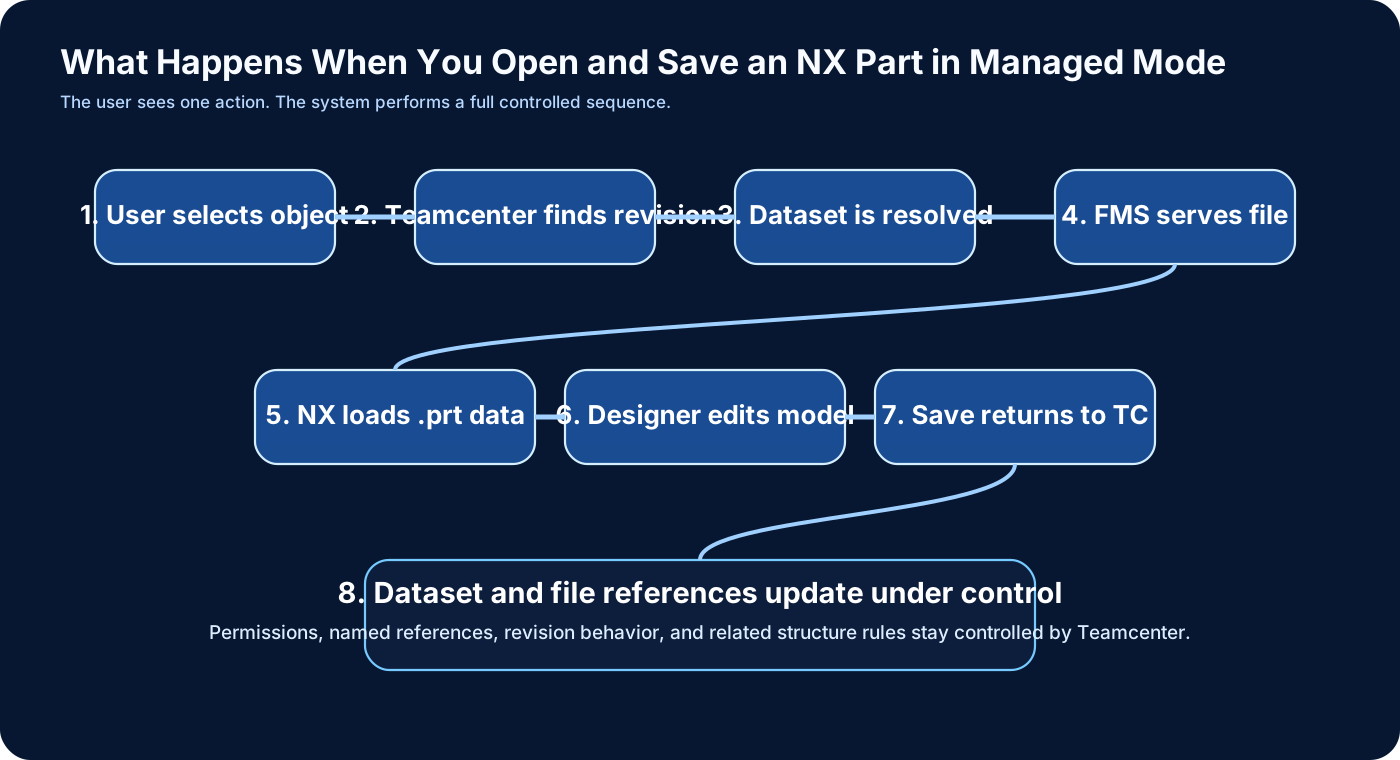
What happens during open and save
Open and save are not simple file operations anymore. On open, Teamcenter checks identity, revision, access, and dataset linkage before NX gets the design content. On save, Teamcenter keeps dataset references, permissions, and revision logic controlled. That is why managed mode prevents many uncontrolled file problems that appear in native environments.
How file mapping is defined
File mapping is defined through dataset types, named references, and integration behavior. For NX content, teams often work with dataset names such as UGMASTER, UGPART, and sometimes JT-related visualization data. The core idea is simple: Teamcenter is not storing CAD content randomly. It stores it through controlled mapping rules.
How assemblies work in NX + Teamcenter
Assemblies in NX reference child components. In Teamcenter, those components also have business identities, revisions, datasets, and structure meaning. That means an NX assembly is not only geometry grouping. In managed mode, it becomes lifecycle-controlled design structure.
Where customization starts
The first good question is not “where can I code?” The first good question is “what exactly needs to change?” If the requirement is mainly about business rule, object model, or lifecycle behavior, the solution likely belongs on the Teamcenter side. If the requirement is mainly about CAD interaction, geometry behavior, or NX-side user experience, the solution likely belongs on the NX side.
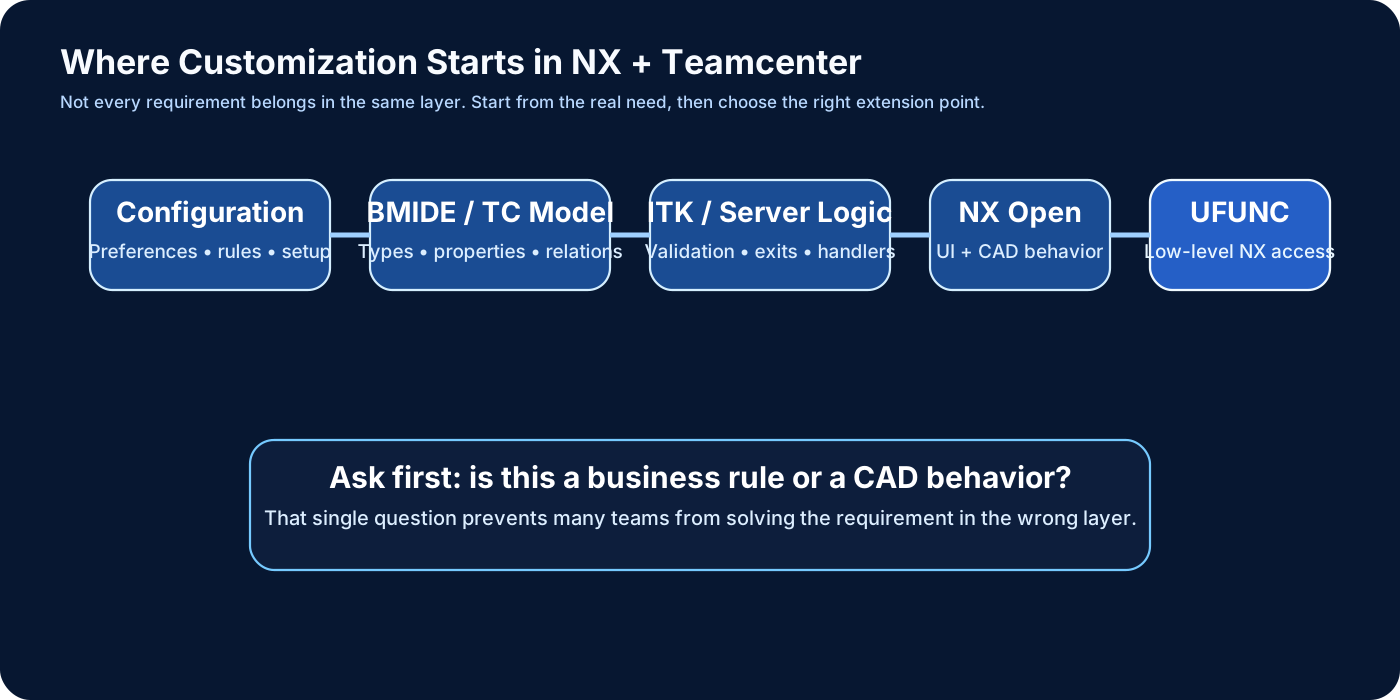
Customization layers explained
Configuration
Always check preferences, setup, and standard rules first.
BMIDE / Teamcenter model
Use this for types, properties, relations, and business-object behavior.
ITK / server-side Teamcenter logic
Use this for controlled validation, handlers, exits, and server behavior.
NX Open
Use this for NX UI behavior, automation, CAD interaction, and design-side logic.
UFUNC
Use UFUNC when lower-level NX behavior or deeper engineering access is really required.
What UFUNC really means
UFUNC is a lower-level NX API set. It gives more direct access to NX internals and is often used when higher-level approaches are not enough. It is powerful, but it should be used carefully. Mature teams do not jump to UFUNC first unless the requirement actually needs low-level NX access.
How to start with customization the right way
- Understand the business requirement fully.
- Check whether standard behavior already solves it.
- Decide whether the issue belongs to Teamcenter or NX.
- Choose the lowest-risk customization layer.
- Only then design and implement code.
What is NX Clone?
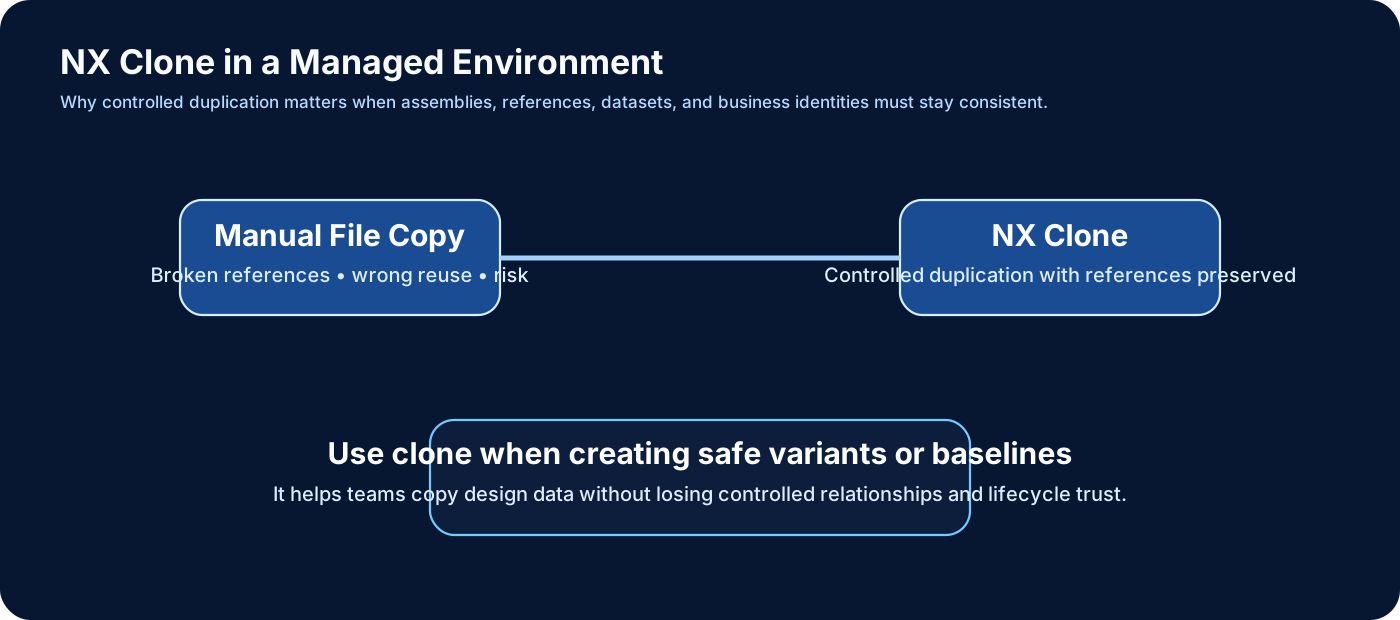
NX Clone is used when you want to duplicate design data in a controlled way. In large managed environments, manual copy is risky because references can break and reuse can become untrustworthy. Clone strategy helps create safe variants or baselines while preserving controlled logic.
Why manual copy is dangerous
Manual .prt copying can break assembly references, confuse Teamcenter mapping, and weaken lifecycle trust. That is why controlled clone and controlled reuse matter in a Teamcenter-managed environment.
Common real-world issues in NX + Teamcenter integration
- Confusing Item Revision with the physical file
- Weak understanding of datasets and named references
- Assembly reference problems from unmanaged copy
- Customizing before understanding standard flow
- Solving a Teamcenter problem on the NX side, or vice versa
Best-practice summary
- Understand managed mode first.
- Think in Item, Revision, Dataset, and structure — not only in files.
- Use standard capabilities before writing code.
- Choose the right customization layer based on the real need.
- Use UFUNC only when low-level NX behavior is actually required.
- Use controlled clone strategy instead of manual duplication.
Final thought
NX + Teamcenter is not just a CAD integration. It is a controlled design ecosystem. The more clearly you understand the relationship between business object, revision, dataset, file mapping, and customization layer, the more effectively you can implement, troubleshoot, and extend the system.