📘 AI + Teamcenter Series
Why AI is suddenly important in Teamcenter
For years, Teamcenter was mainly seen as a system to store product data, control revisions, manage workflows, and connect engineering with manufacturing. That role is still important. But the bigger challenge today is not only storing data. The bigger challenge is dealing with too much data, too many systems, and too many manual decisions.
Companies now work with large BOMs, supplier data, change processes, service history, factory information, requirement sets, and quality records. All this exists across the lifecycle. The pressure is no longer only about “where is the data?” It is also about “what does the data mean, what is the impact, and what should we do next?”
Where AI fits inside Teamcenter
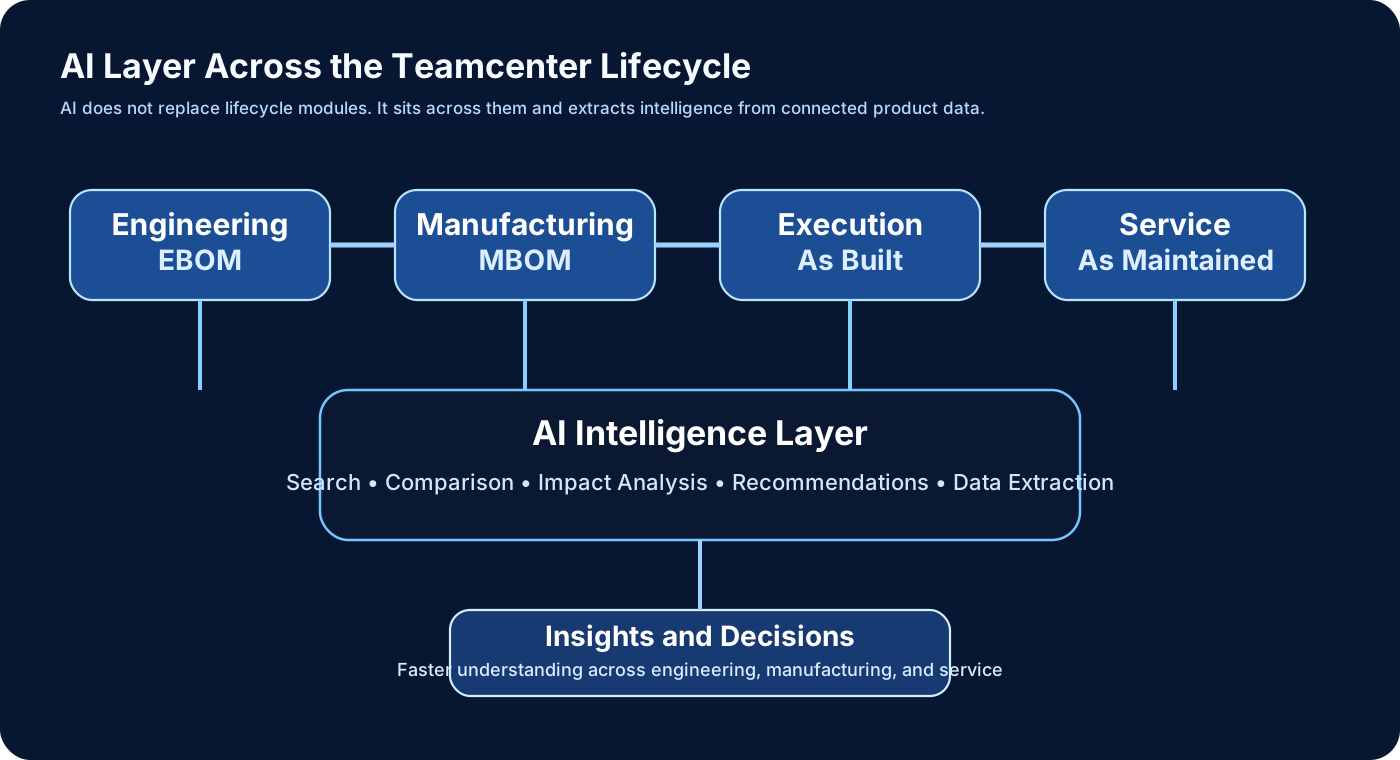
AI does not sit “instead of” engineering, manufacturing, or service modules. It sits above and across them. It helps interpret lifecycle information and reduce manual effort in searching, checking, and comparing data.
What AI is already doing with Teamcenter
1. Natural language assistance
Instead of navigating many screens, users can ask direct questions in simple language. A future Teamcenter user does not only click. The user also asks. For example: show the latest manufacturing BOM, identify recently changed components, or locate documents linked to a change object.
2. BOM intelligence
AI can help detect missing attributes, compare structures, identify inconsistencies, and support impact analysis. This is especially useful when BOMs are large and manual filtering becomes slow and error-prone.
3. Requirement and quality support
AI can help identify ambiguity in requirements, highlight missing information, and support quality reporting. It is useful as a review assistant, especially when data is large and repetitive checking is time-consuming.
4. Manufacturing planning support
AI is moving toward helping planners generate MBOM and process context faster. It can support planning preparation, data extraction, and repetitive rule-based tasks around manufacturing structures.
5. Service and knowledge reuse
AI can help mine documents, manuals, service records, and lifecycle history so that knowledge is not trapped in disconnected files.
What AI cannot do in Teamcenter
AI cannot understand your real customer context automatically. It does not know your custom workflows, custom data model, your real data quality issues, or your business politics. It can suggest. It cannot own the decision.
It cannot decide the right EBOM to MBOM strategy. It cannot decide who should own data between Teamcenter and SAP. It cannot handle unclear requirements the way an experienced consultant can. It cannot take responsibility when a production issue appears at 2 AM.
Impact on Teamcenter jobs
AI will reduce low-value repetitive work: small code generation, repetitive documentation, basic query support, simple comparisons, and some repetitive admin activities. But it will increase the importance of high-value work: architecture, integration, lifecycle understanding, data ownership, domain knowledge, and decision-making.
Roadmap for Teamcenter and AI integration
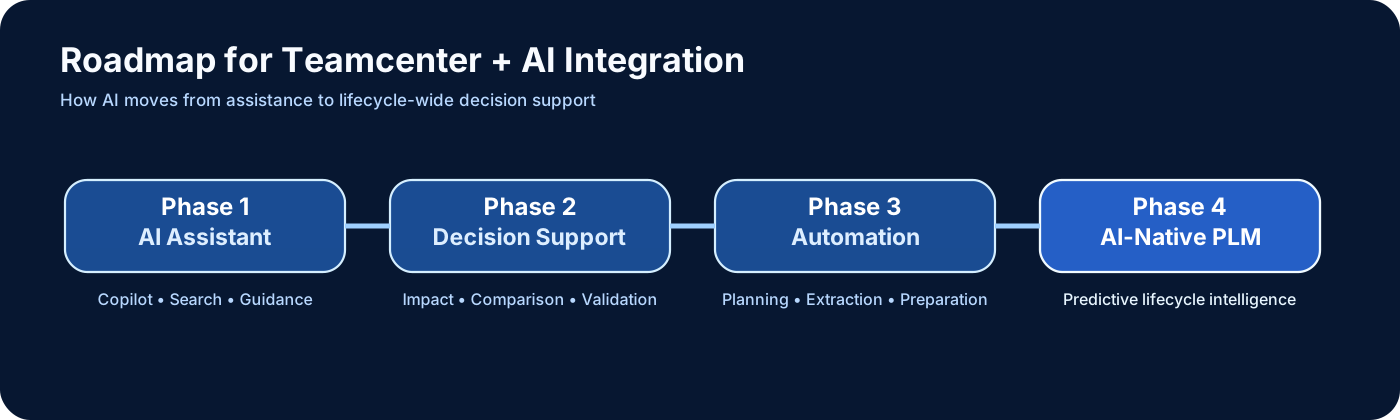
Phase 1: AI assistants, guided search, conversational access to data.
Phase 2: impact analysis, recommendation engines, smarter requirement and BOM support.
Phase 3: more automation in manufacturing planning, service planning, and lifecycle reasoning.
Phase 4: AI-native PLM where lifecycle data becomes more proactive and predictive.
Final thought
Teamcenter is moving from a system that only stores lifecycle information to a system that can help interpret lifecycle information. That is the real impact of AI. The value is not in hype. The value is in faster understanding, better decisions, and lower manual effort across engineering, manufacturing, and service.
👉 Continue reading: Where AI Fails in Real PLM Projects →
Continue your learning